
HTML Tables
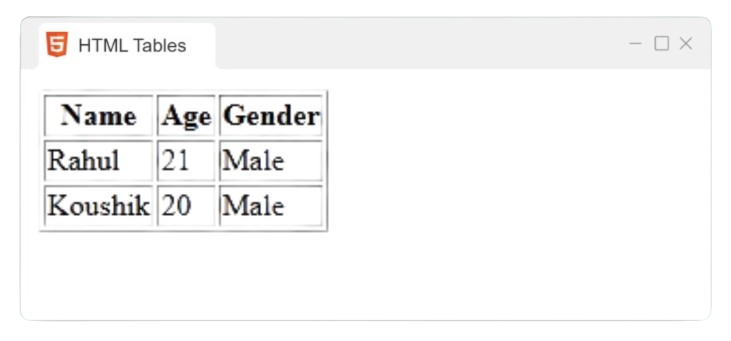
HTML tables are employed to display data on web pages in a tabular format. Tables are coded using the
<table> tag,
with other tags including <tr> for rows,
<th> for table headers, and
<td> for table data cells.
Example:
               <table>


               <tr>


               <th>

            Name

               </th>


               <th>

            Age

               </th>


               <th>

            Gender

               </th>


               </tr>


               <tr>


               <td>

            Rahul

               </td>


               <td>

            21

               </td>


               <td>

            Male

               </td>


               </tr>


               <tr>


               <td>

            Koushik

               </td>


               <td>

            20

               </td>


               <td>

            Male

               </td>


               </tr>


                </table>
Output
Colspan and Rowspan
Rowspan
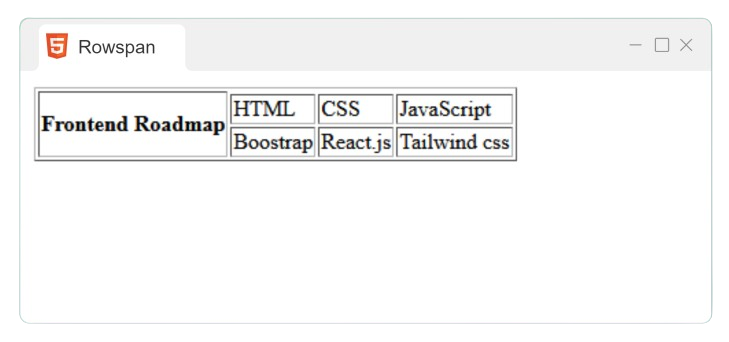
The rowspan attribute enables a table cell to span across several rows.
Example:
               <table
              border="1">


               <tr>


               <th
              rowspan="3">

            Frontend Roadmap

               </th>


               </tr>


               <tr>


               <td>

            HTML

               </td>


               <td>

            CSS

               </td>


               <td>

            JavaScript

               </td>


               </tr>


               <tr>


               <td>

            Boostrap

               </td>


               <td>

            React.js

               </td>


               <td>

            Tailwind css

               </td>


               </tr>


                </table>
Output
Colspan
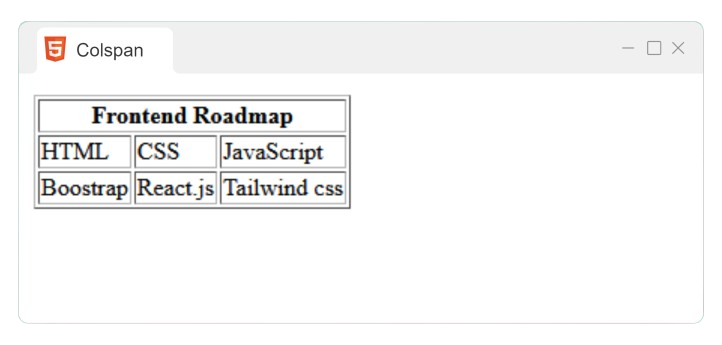
The colspan attribute enables a table cell to cover more than one column.
Example:
               <table
              border="1">


               <tr>


               <th
              colspan="3">

            Frontend Roadmap

               </th>


               </tr>


               <tr>


               <td>

            HTML

               </td>


               <td>

            CSS

               </td>


               <td>

            JavaScript

               </td>


               </tr>


               <tr>


               <td>

            Boostrap

               </td>


               <td>

            React.js

               </td>


               <td>

            Tailwind css

               </td>


               </tr>


                </table>
Output